
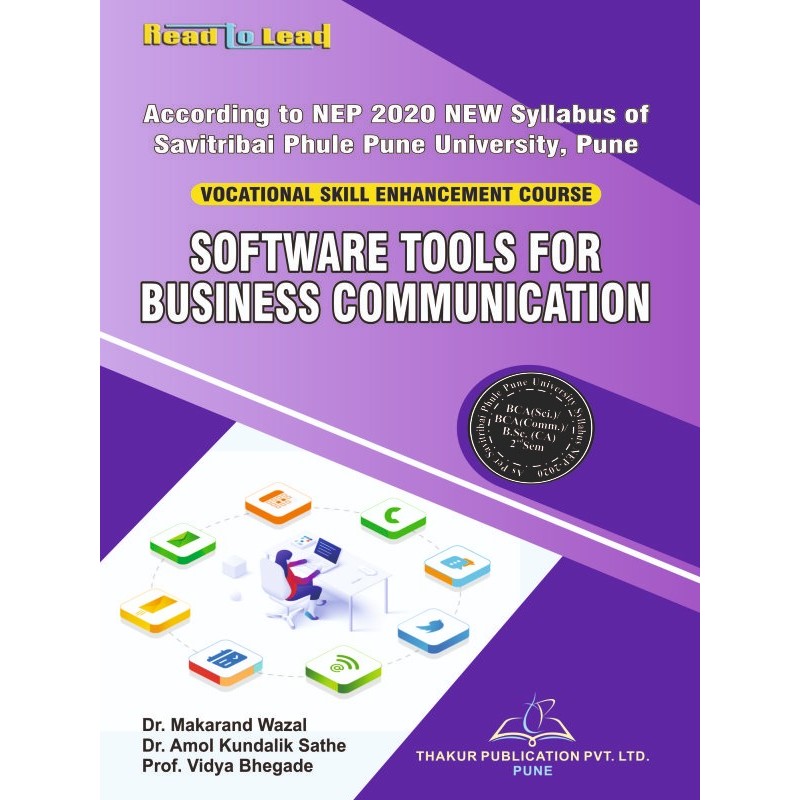


AUTHORS: Dr. Makarand Wazal , Dr. Amol Kundalik Sathe , Prof . Vidya Bhegade
ISBN : 978-93-6180-481-6
Syllabus
[BCA-SCIENCE]
VSEC-151: Software Tools for Business Communication
|
Unit
|
Topics
|
Number of Assignments
|
|
I
|
Word Processing and Google DOCs
Create, Save, Open and Edit Documents, Text Alignments, Enhancements, and Effects, Basic Document Formatting and Editing, Additional Document Formatting and Editing Work with Multiple-Page Documents and Multiple Documents, Work with Columns and Tables, Work with Objects, Lines, and Text Boxes, Drawing Tools, Add Special Effects, Create and Manipulate Google DOC using Various Features |
04 Nos
|
|
II
|
Spreadsheets and Google Sheets
Create, Save, and Print a Worksheet, Use Formulas; Copy a Formula; Format and Enhance use Functions, Additional Formatting, and Editing, Create and Edit Charts, Integrate Worksheets with Other Applications Create and Manipulate Google Sheets using Various Features |
04 Nos
|
|
III
|
Presentations and Google Slides
Create, Save, and Print a Presentation, Enhance Slides; Work with Text and Objects, Work with Slide Shows; Integrate Presentations with Other Applications, Create and Manipulate Google Slides using Various Features |
02 Nos
|
|
IV
|
Google Forms, Drives and Calendar
Create, Save, Open and Edit Google Form using Essential Features, Google Drive: Create Folders and Subfolders, Upload Documents, Share Drive Files and Folders, Google Calendar: Essential Features |
03 Nos
|
|
V
|
Emails, Groups and Generative AI Tools
Create and Send, Receive Emails, Email Folders and Fields, Attach Documents, Address Book, Email Signatures and Other Essential Settings, Email Etiquettes, Create, Join Email Groups, Send and Receive Emails on Groups, Using Generative AI Tools Such as ChatGPT |
04 Nos
|
[BCA-COMMERCE]
VSEC-151: Software Tools for Business Communication
|
Unit
|
Topics
|
Number of Assignments
|
|
I
|
Word Processing and Google DOCs
Create, Save, Open and Edit Documents, Text Alignments, Enhancements, and Effects, Basic Document Formatting and Editing, Additional Document Formatting and Editing Work with Multiple-Page Documents and Multiple Documents, Work with Columns and Tables, Work with Objects, Lines, and Text Boxes, Drawing Tools, Add Special Effects, Create and Manipulate Google DOC using Various Features |
04 Nos
|
|
II
|
Spreadsheets and Google Sheets
Create, Save, and Print a Worksheet, Use Formulas; Copy a Formula; Format and Enhance use Functions, Additional Formatting, and Editing, Create and Edit Charts, Integrate Worksheets with Other Applications Create and Manipulate Google Sheets using Various Features |
04 Nos
|
|
III
|
Presentations and Google Slides
Create, Save, and Print a Presentation, Enhance Slides; Work with Text and Objects, Work with Slide Shows; Integrate Presentations with Other Applications, Create and Manipulate Google Slides using Various Features |
02 Nos
|
|
IV
|
Google Forms, Drives and Calendar
Create, Save, Open and Edit Google Form using Essential Features, Google Drive: Create Folders and Subfolders, Upload Documents, Share Drive Files and Folders, Google Calendar: Essential Features |
03 Nos
|
|
V
|
Emails, Groups and Generative AI Tools
Create and Send, Receive Emails, Email Folders and Fields, Attach Documents, Address Book, Email Signatures and Other Essential Settings, Email Etiquettes, Create, Join Email Groups, Send and Receive Emails on Groups, Using Generative AI Tools Such as ChatGPT |
04 Nos
|
[B.Sc.-CA]
SEC-151: Software Tools for Business Communication
|
Unit
|
Topics
|
Number of Assignments
|
|
I
|
Word Processing and Google DOCs
Create, Save, Open and Edit Documents, Text Alignments, Enhancements, and Effects, Basic Document Formatting and Editing, Additional Document Formatting and Editing Work with Multiple-Page Documents and Multiple Documents, Work with Columns and Tables, Work with Objects, Lines, and Text Boxes, Drawing Tools, Add Special Effects, Create and Manipulate Google DOC using Various Features |
04 Nos
|
|
II
|
Spreadsheets and Google Sheets
Create, Save, and Print a Worksheet, Use Formulas; Copy a Formula; Format and Enhance use Functions, Additional Formatting, and Editing, Create and Edit Charts, Integrate Worksheets with Other Applications Create and Manipulate Google Sheets using Various Features |
04 Nos
|
|
III
|
Presentations and Google Slides
Create, Save, and Print a Presentation, Enhance Slides; Work with Text and Objects, Work with Slide Shows; Integrate Presentations with Other Applications, Create and Manipulate Google Slides using Various Features |
02 Nos
|
|
IV
|
Google Forms, Drives and Calendar
Create, Save, Open and Edit Google Form using Essential Features, Google Drive: Create Folders and Subfolders, Upload Documents, Share Drive Files and Folders, Google Calendar: Essential Features |
03 Nos
|
|
V
|
Emails, Groups and Generative AI Tools
Create and Send, Receive Emails, Email Folders and Fields, Attach Documents, Address Book, Email Signatures and Other Essential Settings, Email Etiquettes, Create, Join Email Groups, Send and Receive Emails on Groups, Using Generative AI Tools Such as ChatGPT |
04 Nos
|
Specific References
AUTHORS: Dr. Makarand Wazal , Dr. Amol Kundalik Sathe , Prof . Vidya Bhegade
ISBN : 978-93-6180-481-6